Trading Platforms Overview
A trading platform is the software or app traders use to view charts, analyze the market, and open or close trades.
Popular platforms include MetaTrader 4, MetaTrader 5, Trading view, and different broker apps.
MetaTrader
MetaTrader is commonly used by forex traders to place trades, view charts, use indicators and manage accounts.
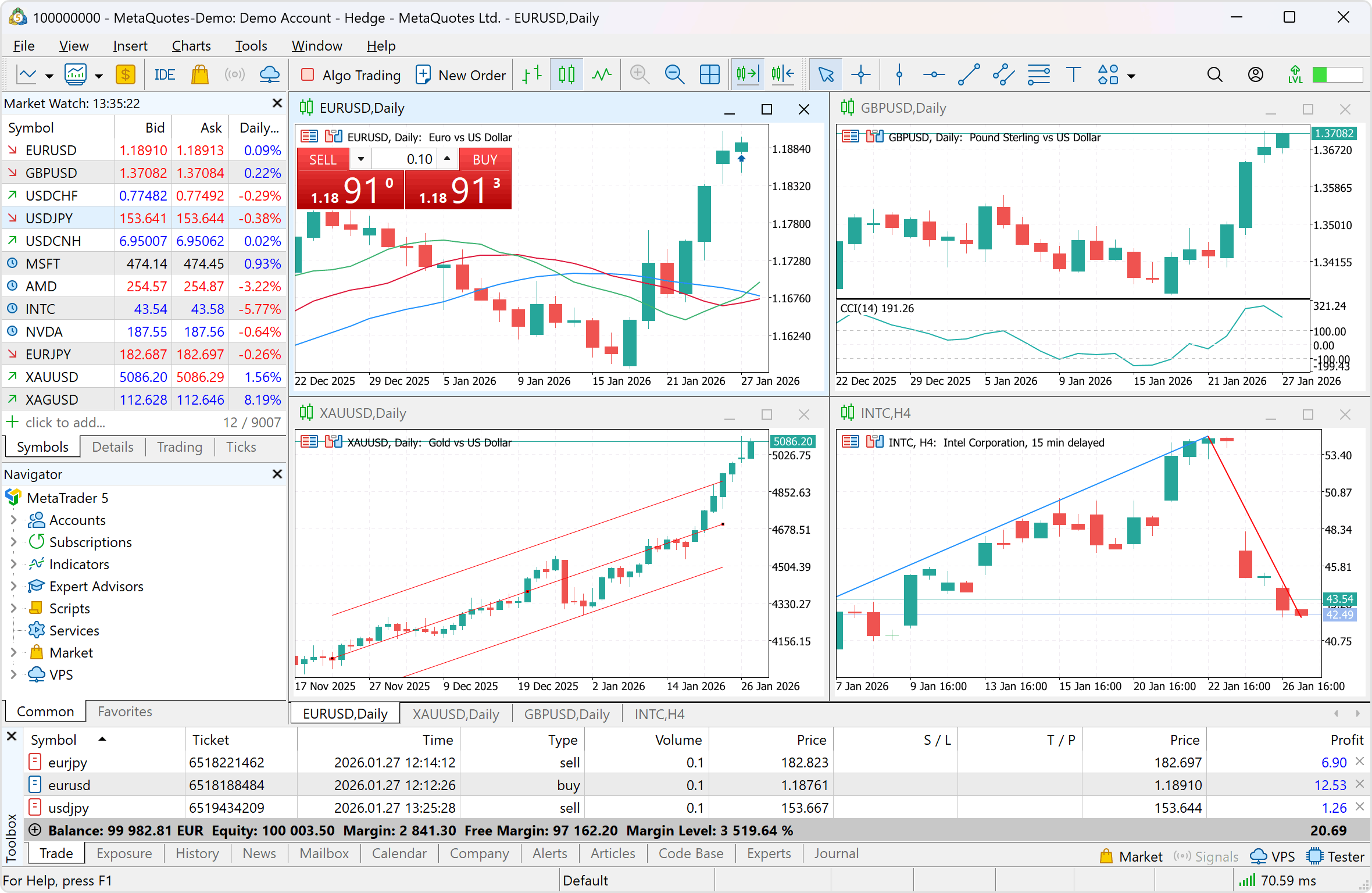
You can download MetaTrader for windows/mac https://www.metatrader5.com/ here inorder to familiarize youself with the layout and practice.
For android and iphone download from Playstore or apple store respectively.
This video tutorial will help you navigate MetaTrader app as new user https://www.youtube.com/watch?v=mXuR_SRP-XI
Later when you are ready to trade and sign up with a broker, the broker will provide you with a MetaTrader app linked to their servers and the login details.
TradingView
TradingView is popular for chart analysis. many traders use it to study price movement, draw support and resistance, and follow different markets. It is rarely used to place trades, traders use TradingView to analyze the market then use MetaTrader on PC or Mobile to place the trades.
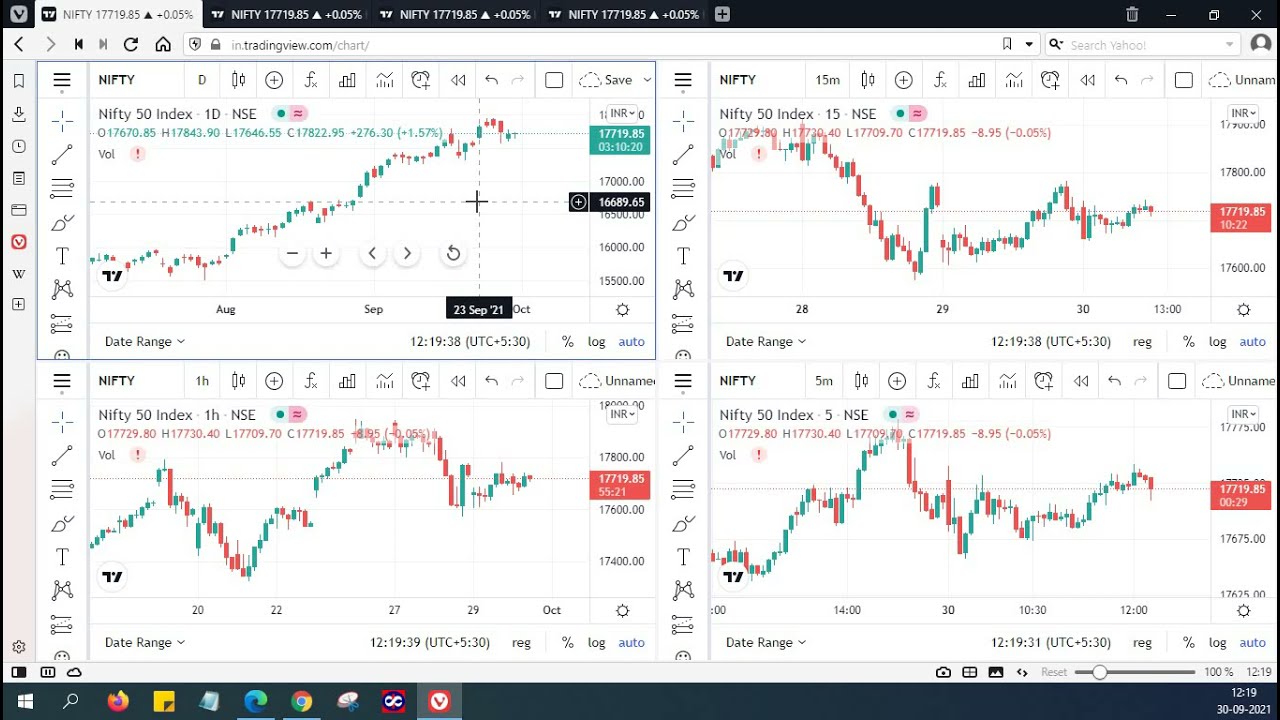
Watch Trading view beginner tutorial here:
https://www.youtube.com/watch?v=eY5ux0sGaE0&list=PLo4O5L04aNGDAKqevdlR-j1JPZonUvNNP
Broker Apps
brokers apps allow traders to access their trading accounts, deposit or widhdraw money, open trades and monitor positions from a phone or computer.
Watchlists
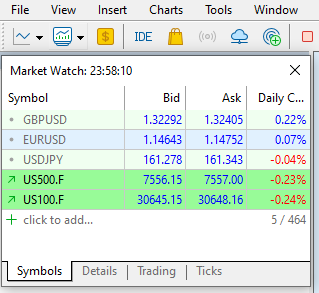
A watchlist is a list of currency pairs or markets a trader wants to follow.
Example:
A trader may add EUR/USD, GBP/USD, and USD/JPY to their watchlist.
See below a watchlist window from MetaTrader:
Charts
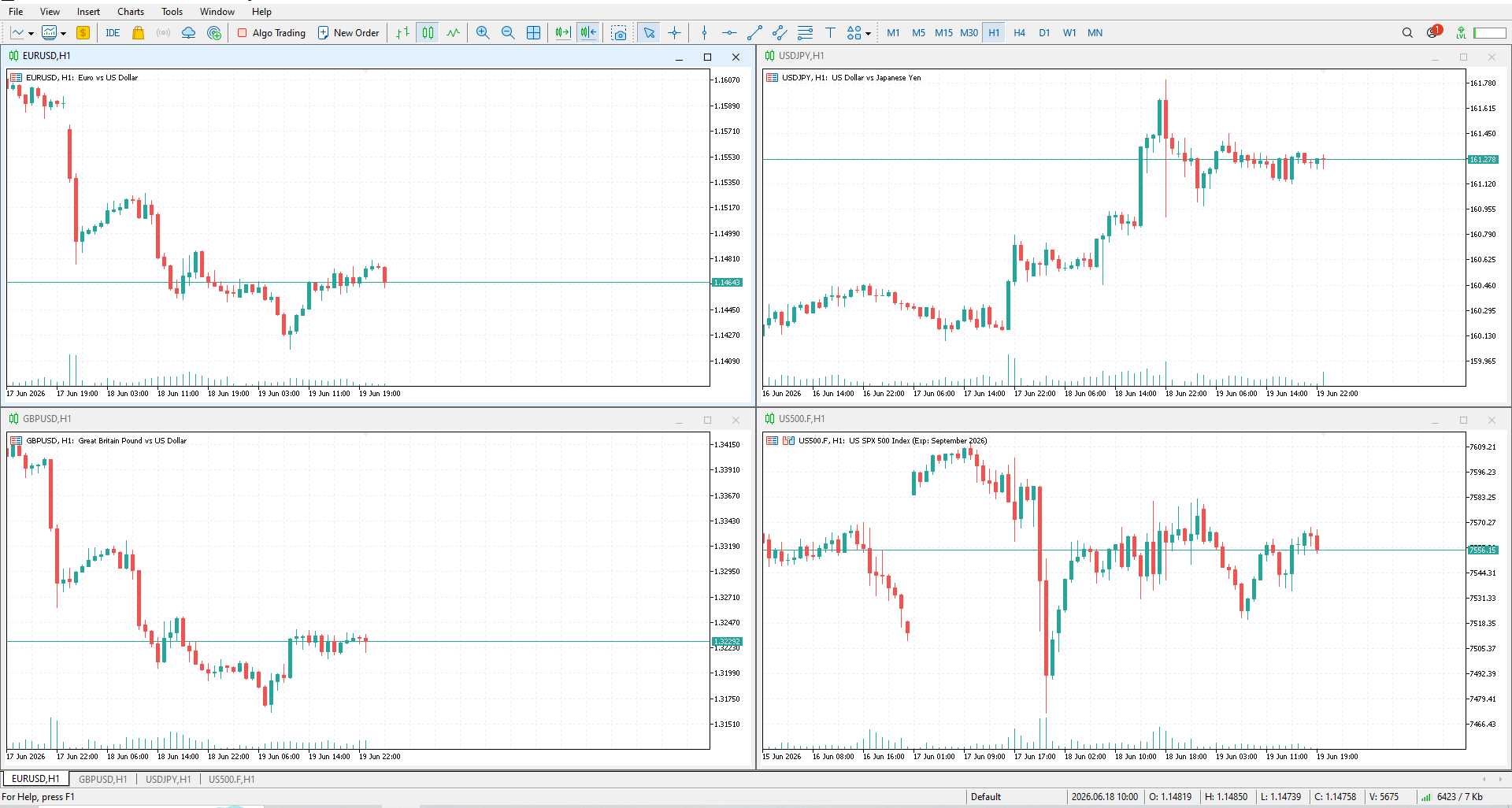
Charts show how price moves over time. traders use charts to study market direction and find trading opportunities.
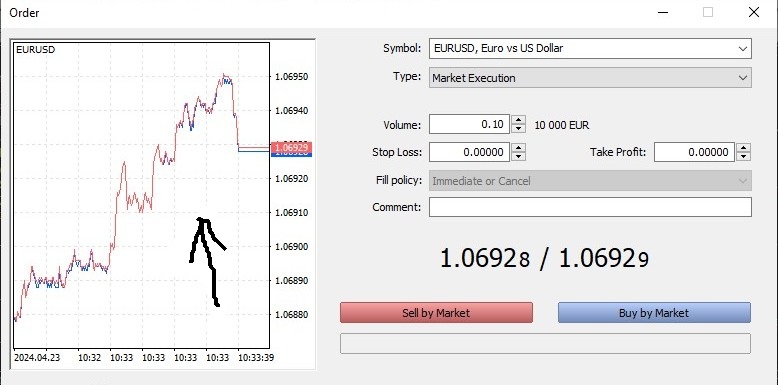
 Order Window
The order window is where a trader chooses the lot size, sets stop loss or take profit, and opens a buy and sell trade.
Account Types
Most brokers offer different account types , such as:
Demo account - for practice using virtual money.
Live account - for trading with real money.
Cent, standard, or raw spread accounts- different account options depending on the broker.
Summary
A trading platformis the trader's main workspace. It helps traders watch prices, analyze charts, manage trades, and control their trading account.
Chart Types
Forex traders use charts to see how price moves over time. The three common chart types are line charts, bar charts, and candlestick charts.
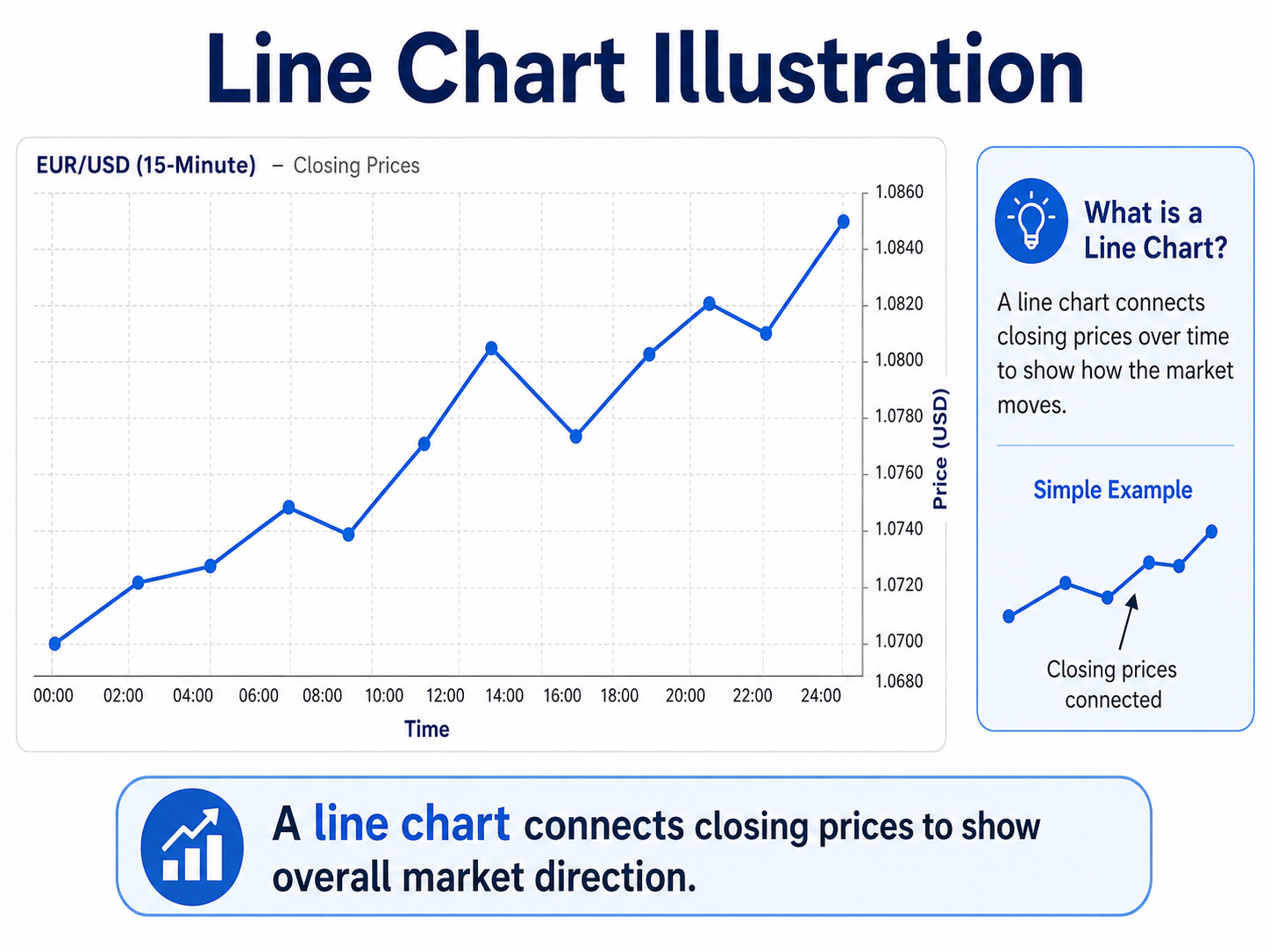
Line chart
A line chart connects closing prices with a simple line.
It us easy to read and help beginners see the general market direction, but it does not show much detail.
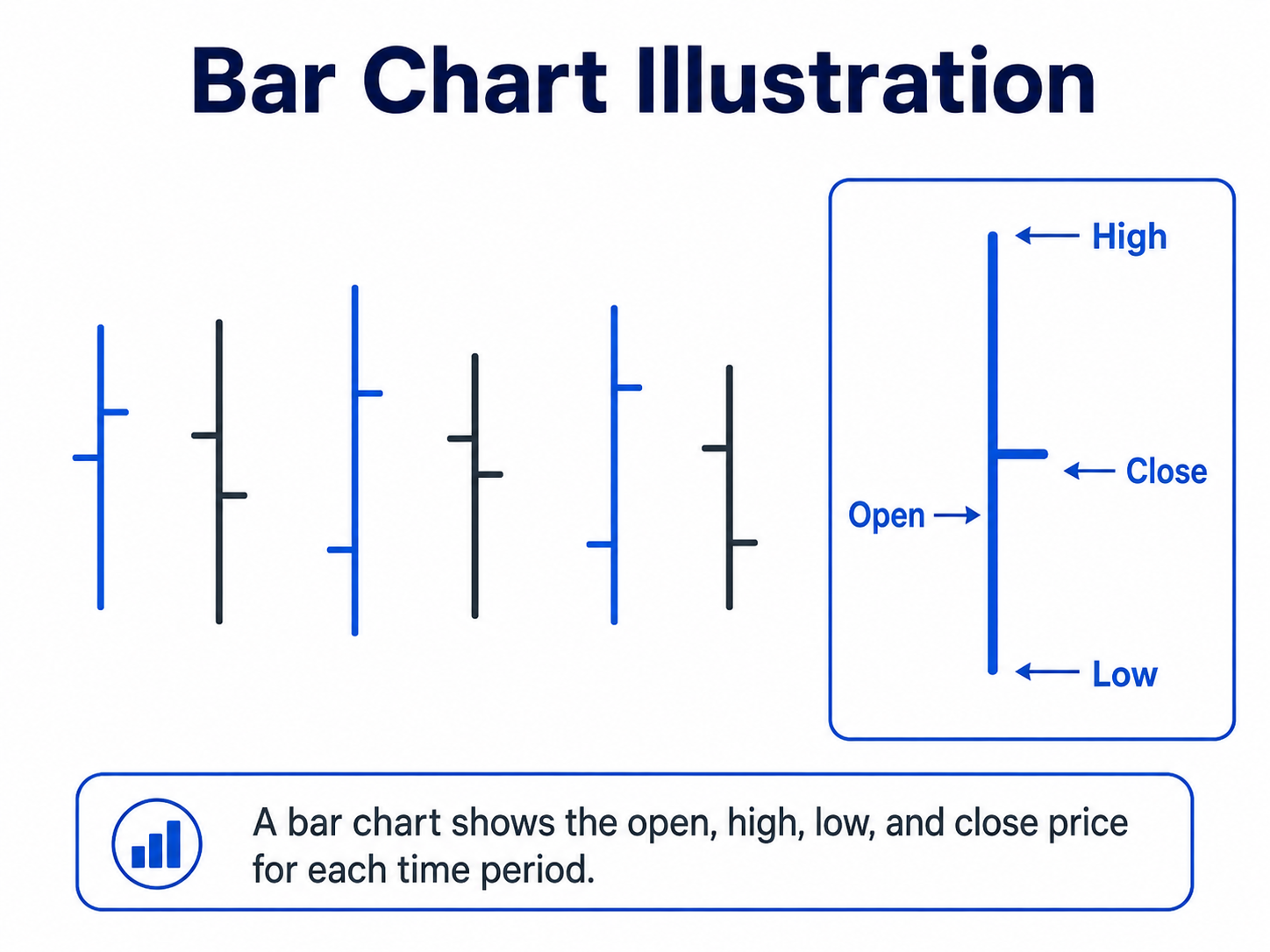
Bar Chart
A bar chart shows more information than a line chart. It shows the open, high, low, and close price for each period.
It gives traders more detail, but beginners may find it harder to read.
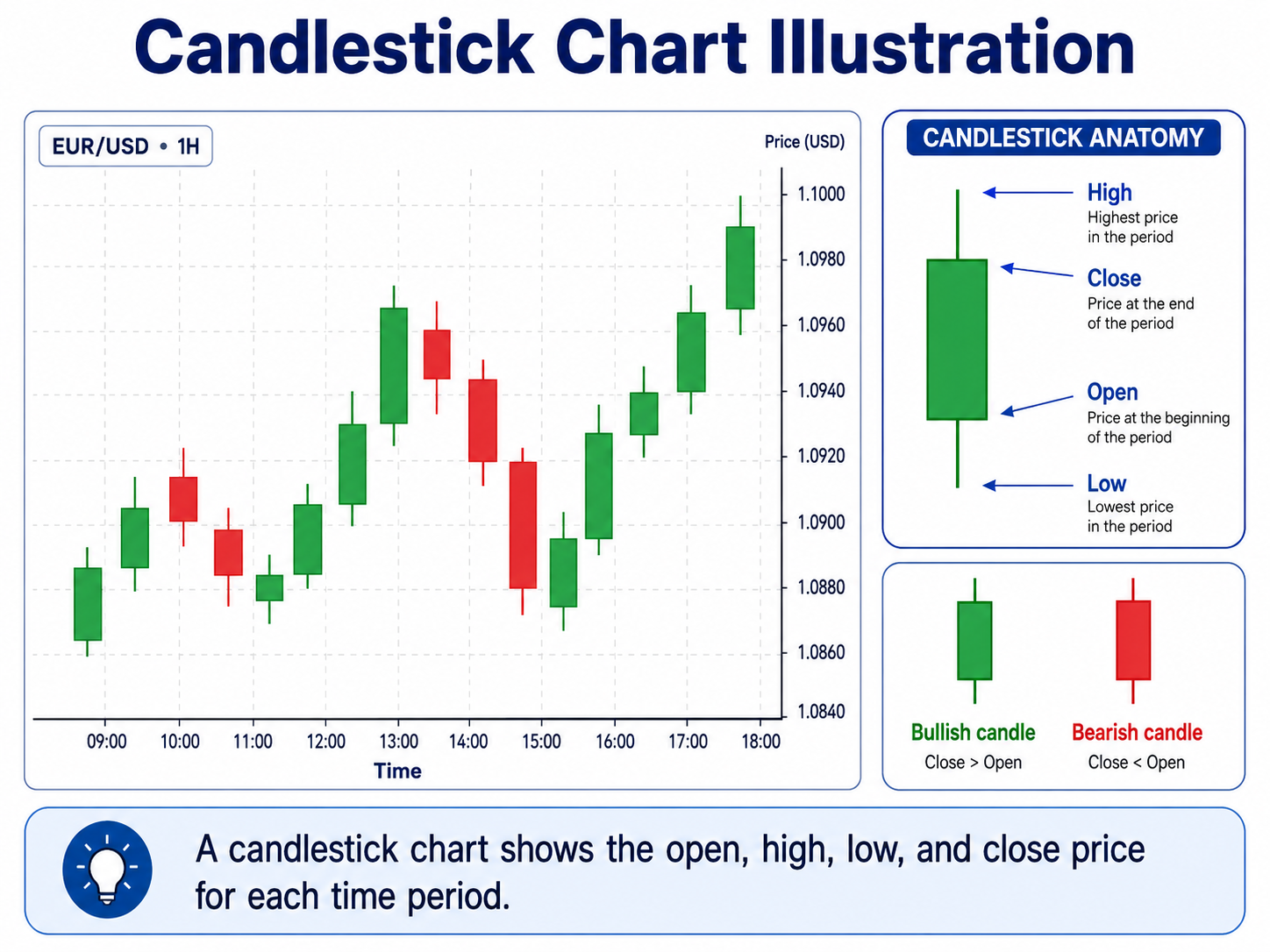
Candlestick Chart
A candlestick chart also shows the open, high, low, and close price, but in a more visual way.
Each candle shows whether price moved up or down during a certain time.
Why Candlesticks Are Most Useful
Candlesticks are popular bacause they ar easy to understand visually. they help traders see price direction, market strength, reversals, and patterns quickly.
Summary
Line charts show basic direction, bar charts show more details, but candlestick charts are the most useful because they clearly show price movement and trader behavior.
Timeframes Explained
A timeframe shows how much time each candle or a bar represents on a chart.
For example, on the M15 timframe, each candle shows 15 minutes of price movement.
Common Forex Timeframes
M1 - 1 minute chart
Used for very short-term price movement. It is fast and noisy.
M5 - 5 munute chart
Used by scalpers and short-term traders
M15 - 15 minute chart
Good for intraday trading and cleaner than M1 or M5.
H1 - 1 hour chart
Shows stronger market direction and is useful for day traders.
H4 - 4 hour chart
Good for identifying bigger trends and key price levels.
D1 - 1 day chart
each candle represents one trading day. useful for swing trading and long-term analysis.
W1 - 1 week chart
Each candle represents one week price activity. The chart shows the bigger market picture and major trends.
How Timeframe Choice affects Analysis
Lower timeframes like M1, M5, and M15 show more price details, but they can be noisy and confusing.
Higher timeframes like H4, Daily, and Weekly show clearer trends and stronger support and resistance levels. (More on these will be discussed later in this course).
Summary
Timeframes help traders view the market from different angles. Lower timeframes show short-term price movement, while higher timeframes show the bigger market direction.
Chart Navigation Basics
To get more visual understanding of how to navigate Metatrader. Please watch the below video.
https://www.youtube.com/watch?v=4AdvK12gjeQ&list=PLpvdNN_5poQ2wSeML8bZSxVGOKuNvMl96
END OF UNIT 2 (Charts and Trading Platforms)
This unit is meant to introduce you to charts, these are the traders workplace, make sure to watch the reccomended videos to get a visual undertanding of the platform navigations and feature. You are adviced to research more on topics above that you do not undertand and if necessary send a message to the admin for clarification on the contact tab.
Disclaimer: Forex trading carries a significant amount of risk, approach it with caution and open mind, Forex is not a get rich quick scheme